

⬤ SUMMARY
Business outcomes
& user value
- Reduced cognitive load
- More qualified leads for retail stores
- Omnichannel activation plan
⬤ SUMMARY
Business outcomes
& user value
The proposal for the new feature and its promotion aimed to increase retention rates and simplify Flexform’s extensive product catalogue. This approach delivers value for both users and the business:
Reduced cognitive load
More qualified leads for retail stores
Omnichannel activation plan
⬤ 01. CATALOGUE
Simplifying choice
through intelligent filtering
FlexForm has around 1,000 colour and material combos per product. Now, how can users visualise a reasonable options amount and not get burnt-out?
We taught of a new way to filter content: personalised moodboards. AI helps users create a collection of materials and colors, which can be applied as a filter on PLP and PDP.
Tap on the video to enter full-screen
Tap on the video to enter full-screen
⬤ 02. PRODUCT
Contextual product
visualization: Smart Styler
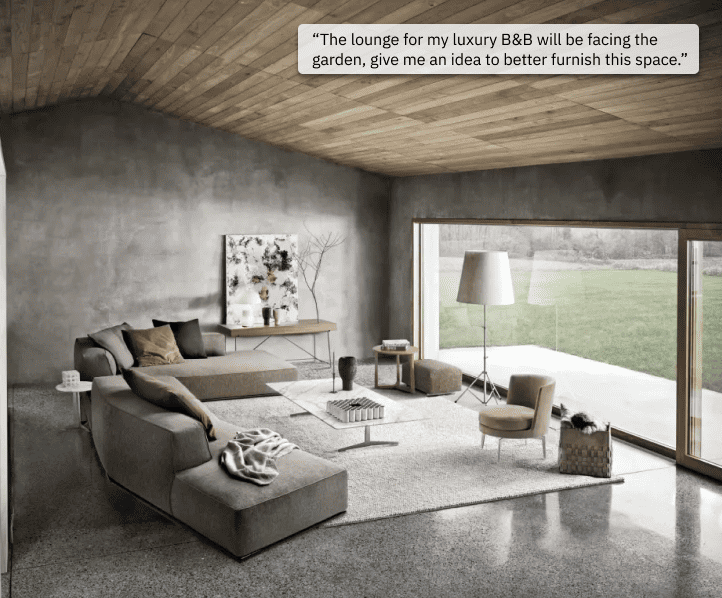
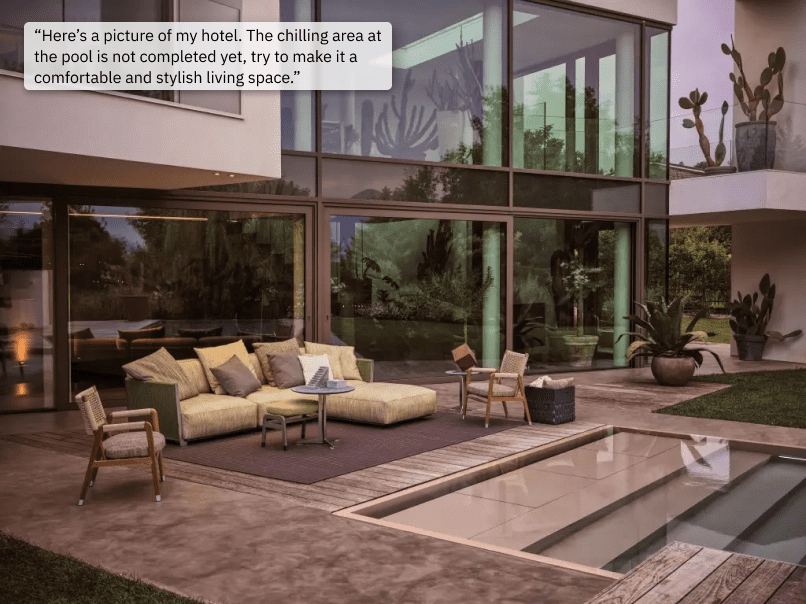
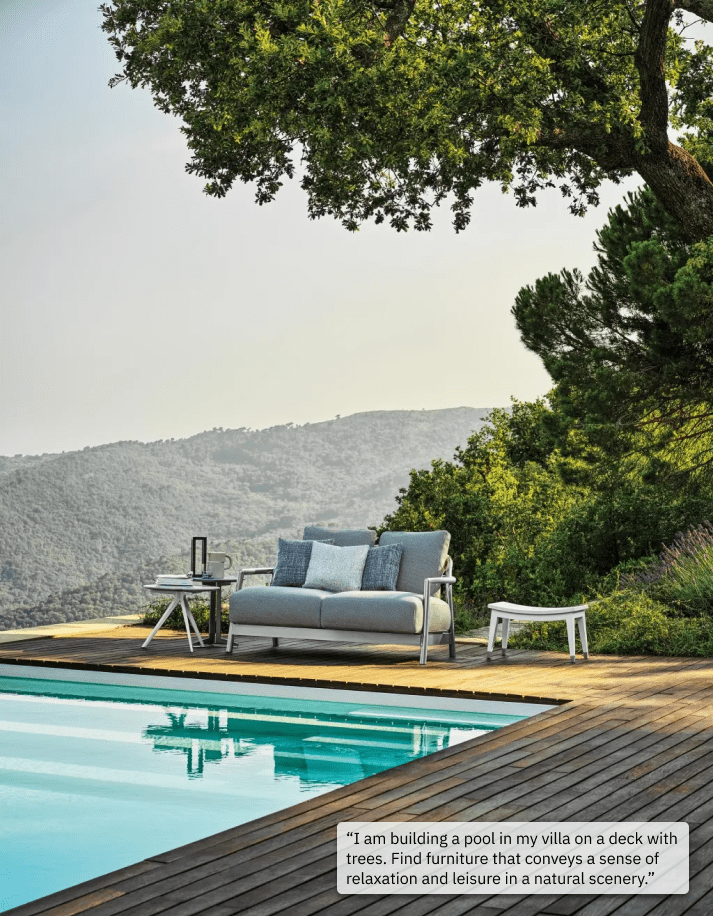
Buying furniture online, people wonder how it will look in a real room. Smart Styler does just that: it enables users to visualise the product in their home or any given environment.
To trigger the 3D rendering of a product or a moodboard in a real-life context, the user only needs to upload photos or describe that space.
⬤ 03. WHAT'S NEXT
Omnichannel value
The configurator sets the foundation for a more intelligent, modular, and scalable configuration system. Next steps include:
Improving prompt quality and render accuracy
Expanding personalization logic based on user behavior
Testing an in-store beta to measure consultation time reduction
Integrating a saved-preferences dashboard for returning users
⬤ 03. WHAT'S NEXT
Go-to-market
& Omnichannel strategy
To maximise adoption of the Smart Configurator and turn it into both a digital and retail asset, we proposed an omnichannel activation plan aligned with Flexform’s brand and customer journey:
Digital touchpoints
Homepage hero campaign
Introduce the Smart Configurator with a lifestyle-driven hero, highlighting its ability to personalise spaces through AI.PLP/PDP entry points
Surface the “Create your moodboard” and “Visualise in your space” CTAs directly in product pages to drive organic use within the shopping flow.Retargeting campaigns
Personalised ads based on previously generated moodboards or unfinished visualisations to re-engage users with high purchase intent.
In-store integration
Consultant-assisted moodboard review
Sales staff can access customer moodboards and smart visualisations to guide the conversation.Tablet experience for stores
A lightweight version of the Configurator for in-store use.
Community, social amplification
UGC gallery
Publish user-generated room visualisations on a dedicated Smart Styler gallery.Influencer collaborations
Interior designers and architects create curated moodboards, showing how professionals use the tool.Before/after content series
Share AI renderings vs real installations to emphasise realism and reliability.
CRM, retention loops
Saved preferences & reminders
Email users the moodboards they created, and suggest complementary products based on their chosen style.Project-based tracking
For users furnishing a whole space, introduce a multi-room project folder for long-term engagement and store follow-up.
Digital touchpoints
Homepage hero campaign
PLP/PDP entry points
Retargeting campaigns
In-store integration
Consultant-assisted moodboard review
Tablet experience for stores
Community, social amplification
UGC gallery
Influencer collaborations
Before/after content series
CRM, retention loops
Saved preferences and reminders
Multi-room project folder for retention